

How to Check a Used Camera Before Buying: The 15 Minute Inspection That Saves You Thousands

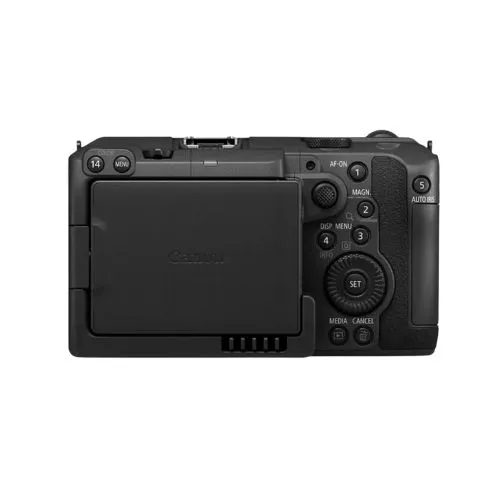
To check a used camera before buying, inspect the body for drops and opened screws, confirm the shutter count, shoot a plain sky at f/16 to reveal sensor dust, take a lens cap shot to find hot pixels, shine a torch through the lens for fungus, and test autofocus, stabilization, ports, buttons and battery health before paying.
Why a Proper Check Matters So Much in Pakistan
The used camera market in Pakistan is huge. Most photographers here buy their first serious body second hand, often through OLX, Facebook groups or a friend of a friend.
That market is full of great deals. It is also full of cameras with worn shutters, fungus in the lens, water damage from a rainy baraat, or a history nobody mentions. Once you pay cash and walk away, there is usually no return.
The good news is that most serious faults show up in a short, structured test. You do not need to be a technician. You need a plan, a few simple tools and the patience to go through every step even when the seller seems friendly.
This guide gives you that plan.
What Should You Bring When Checking a Used Camera?
Bring your own memory card, a small torch, a microfiber cloth and a phone or laptop to view images at full size. These let you test the camera on your terms instead of the seller’s.
| Item | Why You Need It |
|---|---|
| Your own formatted SD or CFexpress card | Proves the card slot works and gives you untouched test files |
| Small LED torch (phone flashlight works) | Reveals fungus, haze and scratches inside the lens |
| Laptop or phone with a card reader | Lets you zoom into images at 100 percent |
| A lens you already own (if possible) | Tells you whether a fault is in the body or in the seller’s lens |
| This checklist, saved on your phone | Stops you skipping steps when you feel rushed |
Tip: Always meet in daylight. Most sensor and lens problems are far easier to spot in natural light than in a dim room.
How Do You Inspect the Camera Body?
Start with the outside. Physical wear tells you how the camera was treated, and it often explains problems you find later.
1. Look for drop and impact marks
Check the corners, the lens mount area and the bottom plate. Dents or cracks near the mount are a red flag because a drop can misalign the mount and cause soft images on one side of the frame.
2. Check the screws
Look at the small screws on the bottom and sides. Scratched or chewed screw heads usually mean the camera has been opened. That is not always bad, since shutter replacements are normal, but ask what work was done and who did it.
3. Check the rubber grips and doors
Loose or peeling rubber is common in hot climates and is usually cosmetic. A battery door or card door that will not close firmly is a bigger issue because it can cause power cuts during a shoot.
4. Match the serial number
The serial number on the body should match the box and any warranty card the seller gives you. A mismatch does not prove anything, but it deserves a clear explanation.
5. Look for signs of water or sand
Green or white residue around ports, rust on the tripod socket, or a gritty feel when turning dials suggests moisture or sand exposure. Walk away from any camera that shows corrosion.
What Is Shutter Count and How Do You Check It?
Shutter count is the number of times the mechanical shutter has fired. It works like the odometer on a car and gives you a rough idea of how hard the camera has been used.
Manufacturers test shutters to a rated number of cycles. Some published ratings:
| Camera | Rated Shutter Cycles |
|---|---|
| Canon EOS 6D Mark II, 80D, 750D | 100,000 |
| Canon EOS 5D Mark III and Mark IV | 150,000 |
| Canon EOS 7D Mark II, EOS R | 200,000 |
| Nikon D3500, D5600 | 100,000 |
| Nikon D7500 | 150,000 |
| Nikon D850, D500, Z6, Z7 | 200,000 |
Source: manufacturer ratings compiled by Photo Review Australia.
How to read the shutter count
- Take one fresh photo in JPEG on the camera you are testing.
- Do not edit or resize it.
- Upload it to a free online shutter count checker, or open it in ExifTool on a laptop.
- Look for a field such as “Shutter Count” or “Image Count”.
This method works well for most Nikon, Pentax and many Sony bodies. Many Canon models do not store the count in normal photo data, so you may need software that reads it through a USB cable. If you cannot confirm the count, factor that uncertainty into your price.
What is a good shutter count?
Our view: for a body rated at 150,000 cycles, anything under about 30,000 is light use, 30,000 to 80,000 is normal use, and above 100,000 means you should negotiate hard or budget for a future shutter replacement.
Keep two facts in mind:
- A rating is not an expiry date. Shutters can fail early or last far beyond their rating.
- Mirrorless cameras complicate the number. Shots taken with the electronic or silent shutter may be counted differently, so a low mechanical count on a mirrorless body does not always mean light use.
How Do You Test the Image Sensor?
Two quick shots reveal most sensor problems: one for dust and marks, one for dead or hot pixels.
The dust test
- Set the camera to aperture priority and choose f/16 or f/22.
- Point it at a clear sky or a plain white wall.
- Defocus slightly and take a shot.
- Zoom in at 100 percent.
Dark spots that stay in the same place across shots are dust or marks on the sensor. Dust is normal and easy to clean. Scratches or smears that do not move after a blower clean are a serious problem.
The dead and hot pixel test
- Put the lens cap on.
- Set ISO to 100 and shutter speed to around 1 to 2 seconds.
- Take a shot and zoom in on the black image.
Tiny bright red, green, blue or white dots are hot or stuck pixels. A few are common, and many cameras can map them out with a built in sensor cleaning or pixel mapping function. Dozens of bright dots, lines or colored patches are a reason to walk away.
How Do You Check a Used Lens for Fungus and Damage?
Remove the lens, open the aperture fully if you can, and shine a torch through it from both ends while looking at an angle. Most faults become visible within a minute.
| What You See | What It Probably Is | How Serious |
|---|---|---|
| Thin, thread like webs or spots | Fungus | Serious. Can spread and etch coatings |
| Even, milky fog across the glass | Haze | Moderate to serious. Lowers contrast |
| Rainbow or oily patch at the edge of an element | Balsam separation | Serious. Usually expensive to fix |
| A few tiny specks | Dust | Normal. Rarely affects photos |
| Fine lines on the front element | Cleaning marks or scratches | Minor unless deep |
Other lens checks
- Aperture blades: They should be dry and snap closed quickly. Oily or sticky blades cause exposure errors.
- Zoom and focus rings: Should turn smoothly without grinding or loose spots.
- Autofocus: Focus back and forth several times. Listen for grinding and watch for hunting in good light.
- Image stabilization: Turn it on, look through the viewfinder and listen for a soft hum. A shaky or jumping view can mean a faulty stabilizer.
- Mount and contacts: The metal mount should not be bent, and contacts should be clean and not worn down.
How Do You Test the Functions, Screen and Battery?
Press every button and turn every dial at least once. A camera can take good photos and still have a dead control you will need in the middle of a wedding.
Use this short sequence:
- Every button and dial, including the joystick and custom buttons.
- Rear screen for scratches, dead patches and the touch function if it has one.
- Viewfinder for dust, dark spots or, on mirrorless bodies, flickering.
- Flash and hot shoe, if the camera has a built in flash.
- Ports: USB, HDMI, microphone and headphone. Plug something in if you can.
- WiFi and Bluetooth pairing with your phone app.
- Battery health: Many Canon EOS bodies show battery recharge performance in the menu. A battery that drains fast is easy to replace, but factor its cost into the deal.
- Video: Record at least five minutes of video. Overheating warnings, dropped audio or sudden stops point to hidden problems.
Which Red Flags Mean You Should Walk Away?
Walk away if the seller refuses a proper test, the camera shows corrosion, the lens has fungus, or the story keeps changing. A good deal on a faulty camera is not a good deal.
Watch for these warning signs:
- The seller only allows a quick look or wants to meet at night
- The price is far below every other listing for the same model
- No battery charger, no box and no clear reason why
- A freshly reset menu that hides the previous owner’s settings, paired with vague answers
- The seller cannot explain a mismatched serial number
- Shutter count “unknown” on a model where it is easy to read
Used Camera vs New Camera: Which Makes More Sense?
A used camera gives you more features for the money. A new camera gives you peace of mind. The right choice depends on your budget and how much risk you can accept.
| Factor | Used Camera | New Camera |
|---|---|---|
| Price | Lower, often much lower | Full market price |
| Warranty | Usually none from private sellers | Shop or official warranty |
| Condition | Varies widely | Known and guaranteed |
| Shutter life | Partly used | Full |
| Resale loss | Smaller, the first owner took the biggest drop | Larger in the first year |
| Best for | Budget buyers, backups, learning | Professionals who need reliability |
Our view: a checked used body paired with a lens in excellent condition is often the smartest start for a student or new content creator. Working wedding and event photographers usually benefit from at least one body with a warranty as their main camera.
Common Mistakes People Make When Buying a Used Camera
- Testing only on the rear screen. A 3 inch screen hides dust, soft focus and hot pixels. Always view images at full size.
- Ignoring the lens. Buyers spend twenty minutes on the body and ten seconds on the lens, yet lens fungus is one of the most common hidden faults.
- Trusting “bilkul new condition”. Cosmetic condition says little about shutter wear or internal damage.
- Forgetting the accessories. A missing original charger or battery can add a noticeable cost later.
- Paying before testing with your own card. The seller’s card may hide errors or old files.
- Rushing because another buyer is “coming at 5”. Pressure is a sales tactic. A genuine seller will wait for a fair test.
How Much Should You Pay for a Used Camera in Pakistan?
Prices change quickly with the rupee and import costs, so compare at least five current listings for the exact same model and condition before agreeing on a figure.
Use these factors to adjust the price:
- Shutter count: Higher counts justify a lower offer.
- Included lens: Kit lenses add less value than prime or professional zoom lenses.
- Accessories: Extra batteries, box and original charger add value.
- Repair history: A recent professional shutter replacement can actually be a plus if it comes with a receipt.
- Cosmetic wear: Heavy scuffs lower resale value even if the camera works well.
We do not list fixed rupee prices here because they would be out of date within weeks. Checking live listings and speaking to a trusted shop will give you a more accurate picture.
When Should You Ask a Professional to Inspect the Camera?
Get a technician or an experienced camera shop involved if you are spending a large amount, if the camera was opened before, or if any test result confuses you.
A trained eye can spot things this checklist cannot, such as a slightly misaligned mount, internal moisture, or a lens element that has been reassembled out of position. For expensive full frame bodies or professional lenses, a short professional check is cheap insurance.
Key Takeaways
- A structured 15 minute test catches most serious faults in a used camera.
- Shutter count shows usage, but a rating is a guide and not an expiry date.
- A sky shot at f/16 reveals sensor dust, and a lens cap long exposure reveals hot pixels.
- Torchlight through the lens is the fastest way to spot fungus, haze and separation.
- Test every button, port and at least five minutes of video before paying.
- Walk away from corrosion, fungus, refused tests and changing stories.
- For high value purchases, ask a professional to check the gear.
Frequently Asked Questions
How can I check the shutter count of a used camera?
Take a fresh, unedited JPEG with the camera and upload it to an online shutter count checker, or read it with ExifTool on a laptop. This works for most Nikon, Pentax and many Sony bodies. Many Canon models need software connected by USB because they do not store the count in normal image data.
What shutter count is too high for a used DSLR?
It depends on the model’s rating. As a general guide, once a camera passes about two thirds of its rated cycles, you should negotiate a lower price or plan for a future shutter replacement. A body rated at 150,000 with 100,000 or more actuations is well used, though it may still work for years.
Is it safe to buy a used camera on OLX in Pakistan?
It can be safe if you meet in a public place during daylight, test the camera fully with your own memory card, check the serial number against the box, and pay only after testing. Avoid sellers who refuse inspection, push for advance payment or offer prices far below the market.
How do I know if a lens has fungus?
Remove the lens, open the aperture and shine a torch through it from both the front and back while tilting it. Fungus looks like thin thread like webs, spider shapes or fuzzy spots on or between the glass elements. Plain dust looks like tiny separate specks and is usually harmless.
Can a used camera with dead pixels still be used?
Yes, in many cases. A few stuck or hot pixels are common, and many cameras can hide them through a built in pixel mapping or sensor cleaning function. They mostly appear in long exposures. A large cluster, lines or colored patches point to a more serious sensor fault and are a reason to avoid the camera.
Should I buy a used camera or a new one as a beginner?
A carefully checked used camera usually gives beginners more features for the budget, which leaves money for a better lens. A new camera makes sense if you want a warranty and cannot afford the risk of repairs. Either way, the lens you pair with the body matters as much as the body itself.
Does a high shutter count mean the camera will fail soon?
Not necessarily. Shutter ratings describe tested durability, not a fixed lifespan. Some shutters fail well before their rating and many run far beyond it. A high count simply raises the chance of a replacement being needed sooner, so it should lower the price rather than automatically rule the camera out.
What should I check on a used mirrorless camera specifically?
Check the electronic viewfinder for flicker or dead spots, test the in body stabilization if it has one, record video for overheating, and inspect the sensor carefully because mirrorless sensors are exposed during lens changes. Also remember that electronic shutter shots may not show in the mechanical shutter count.
Buy Smart, Shoot Longer
A used camera can be one of the best investments you make as a photographer, as long as you check it properly. Look at the body, confirm the shutter count, test the sensor, shine a light through the lens and try every function before you pay. That short routine protects both your money and your future shoots.
If you would rather skip the guesswork, FotoTrade has been helping photographers in Lahore and across Pakistan choose the right gear for years. Browse our cameras, used lenses and accessories online, or visit our shop in Anarkali Bazaar, Lahore, and our team will gladly walk you through the options before you decide.